
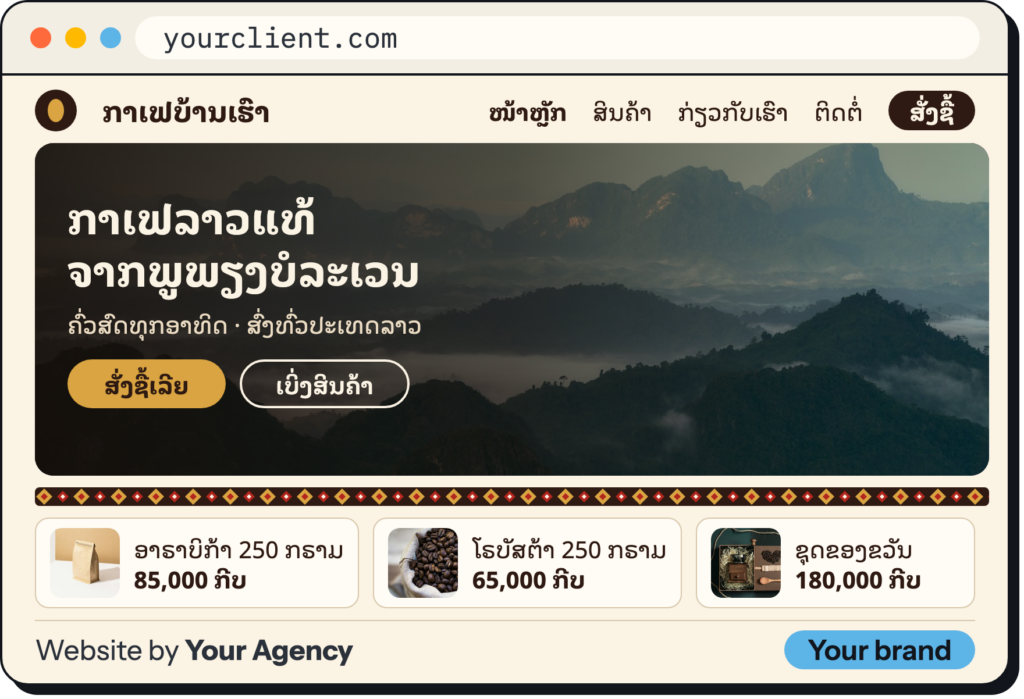








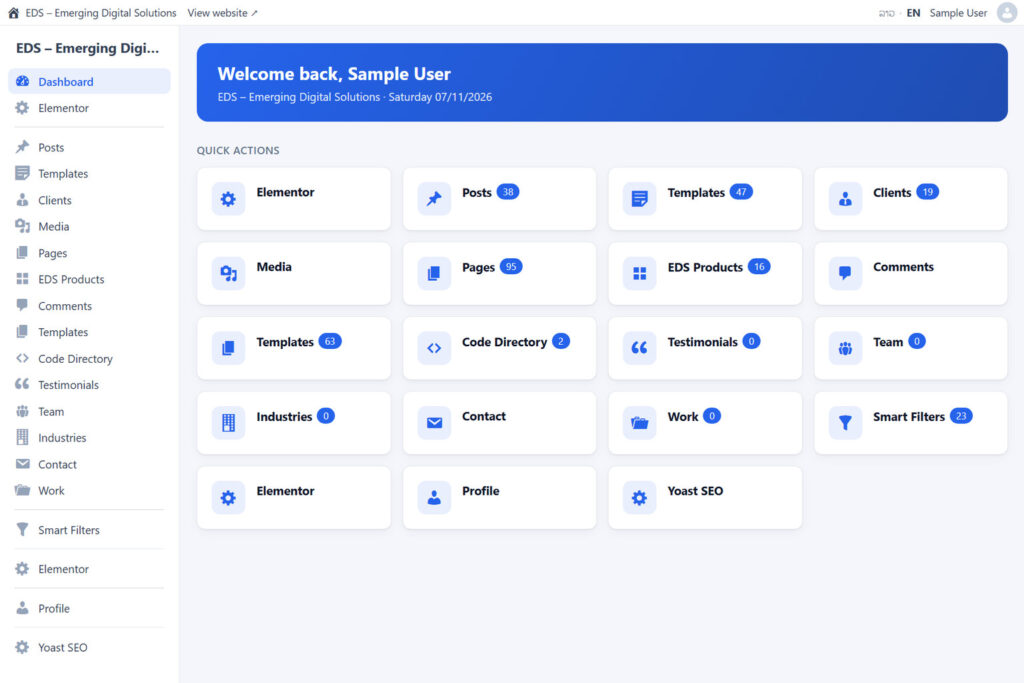

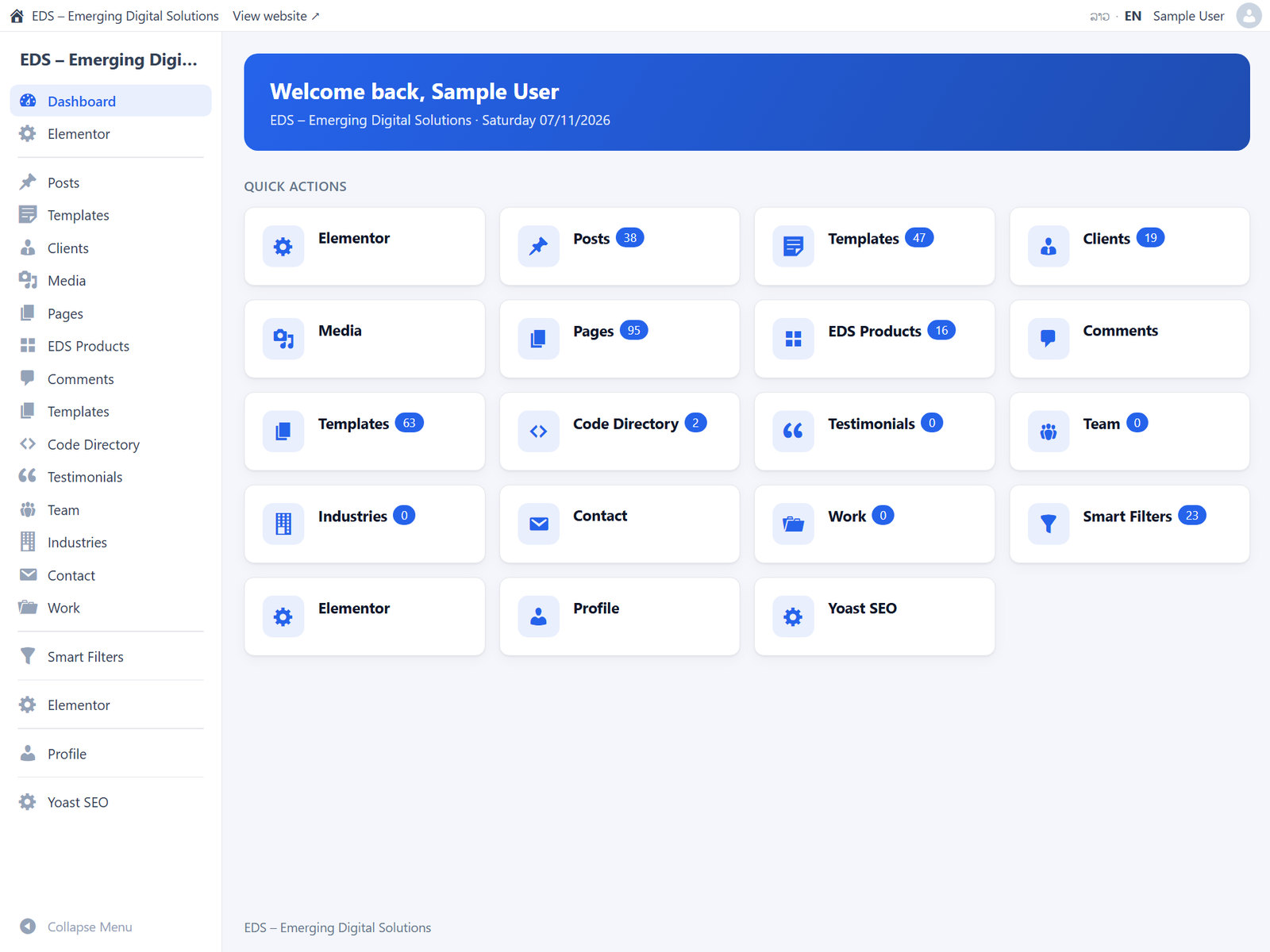
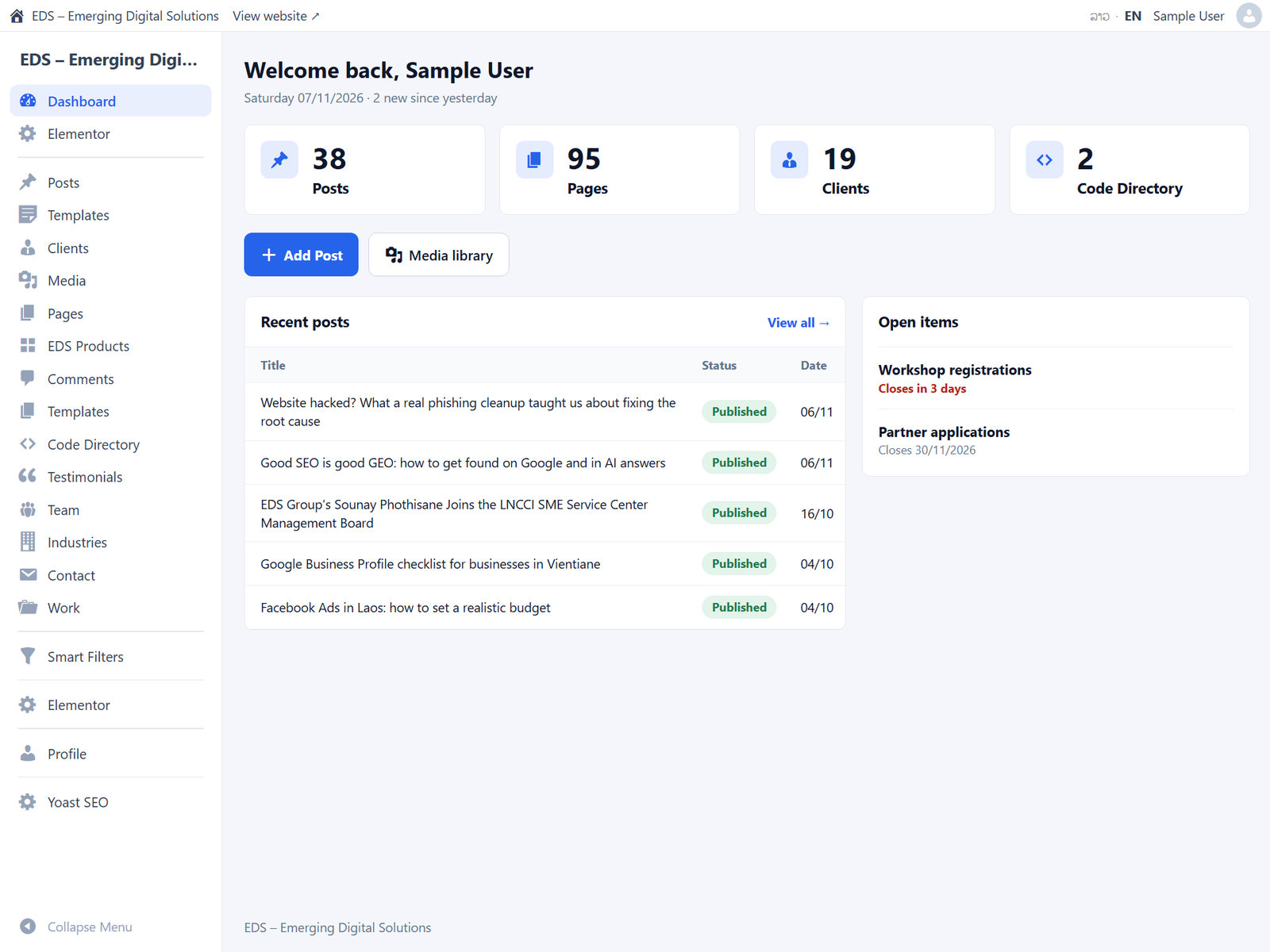
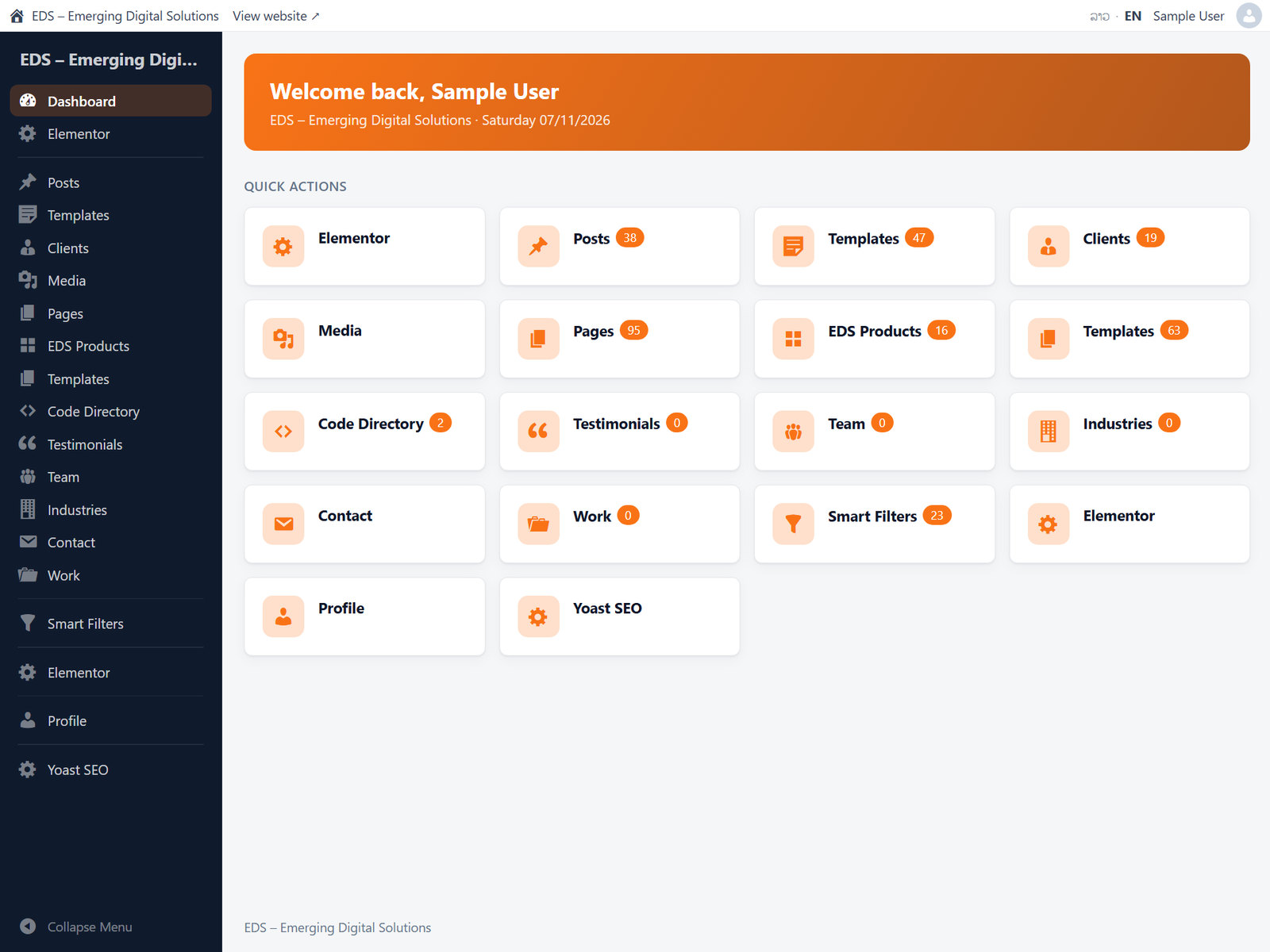
Users below Administrator get a simple, branded wp-admin with their own menu, dashboard and login. Administrators keep the normal admin, and can preview any role before going live. Version 1.2.0 adds a designed login page, spam protection for your forms and one email setting for the whole site.
A dashboard made for each role
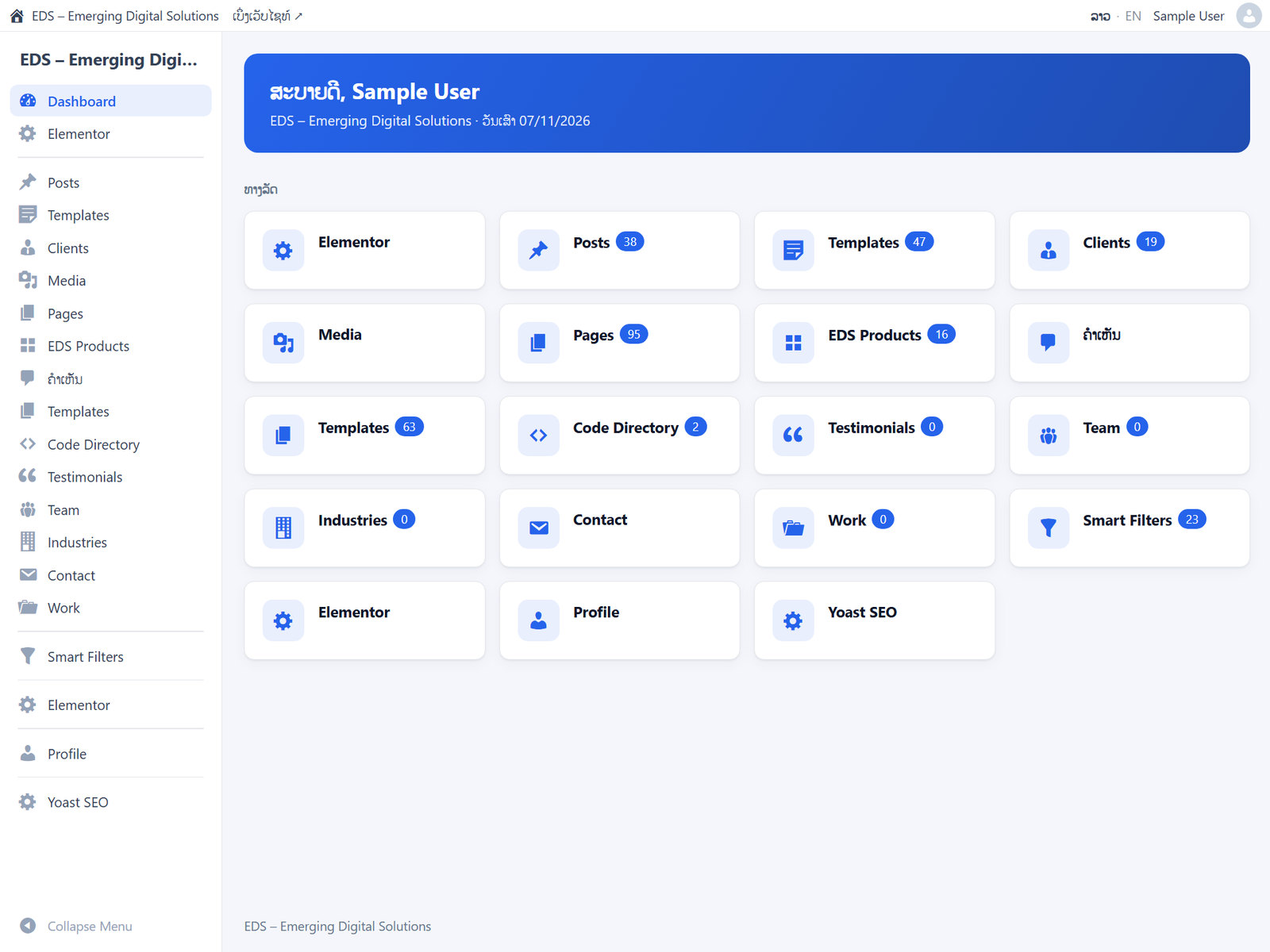
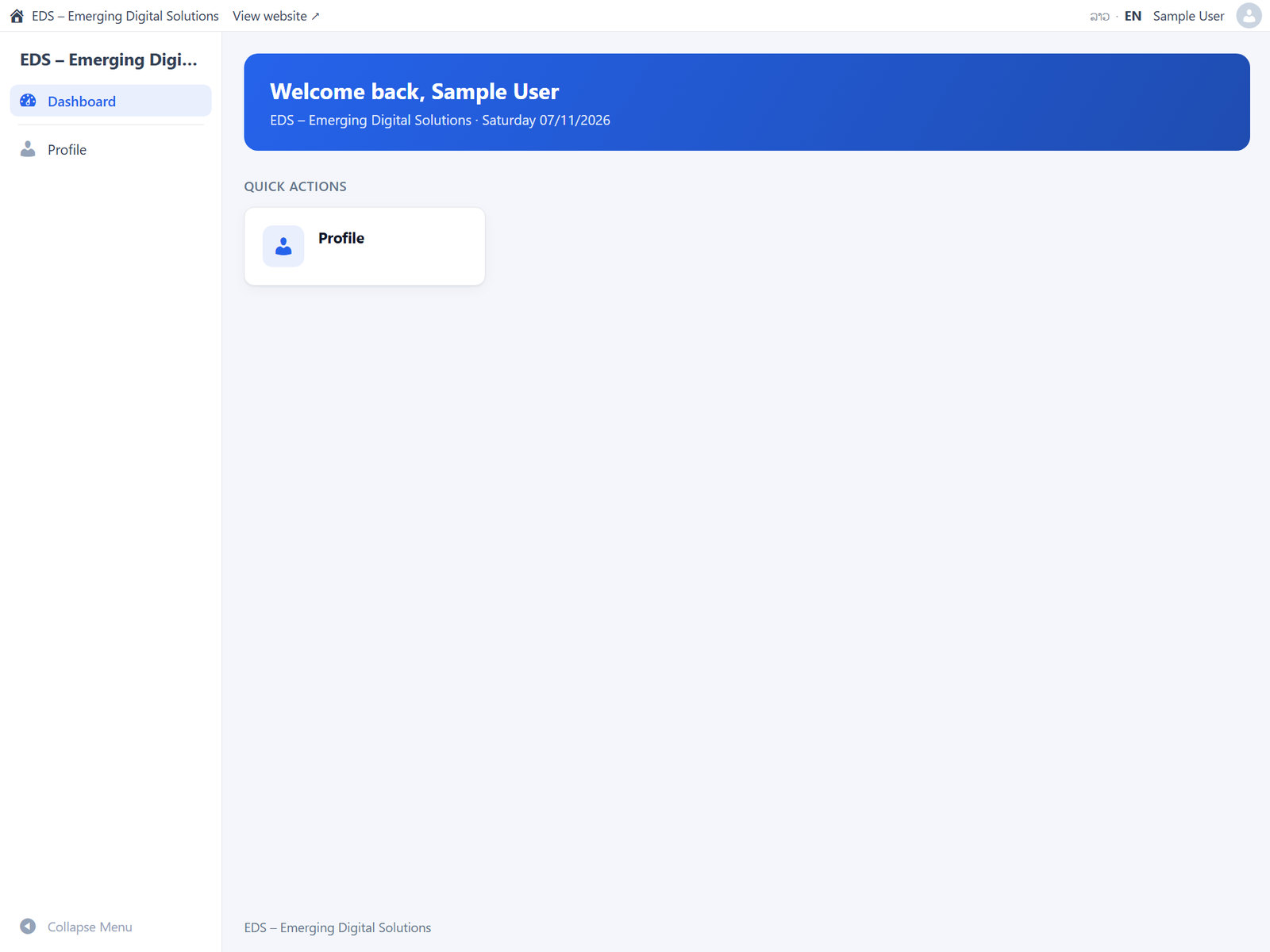
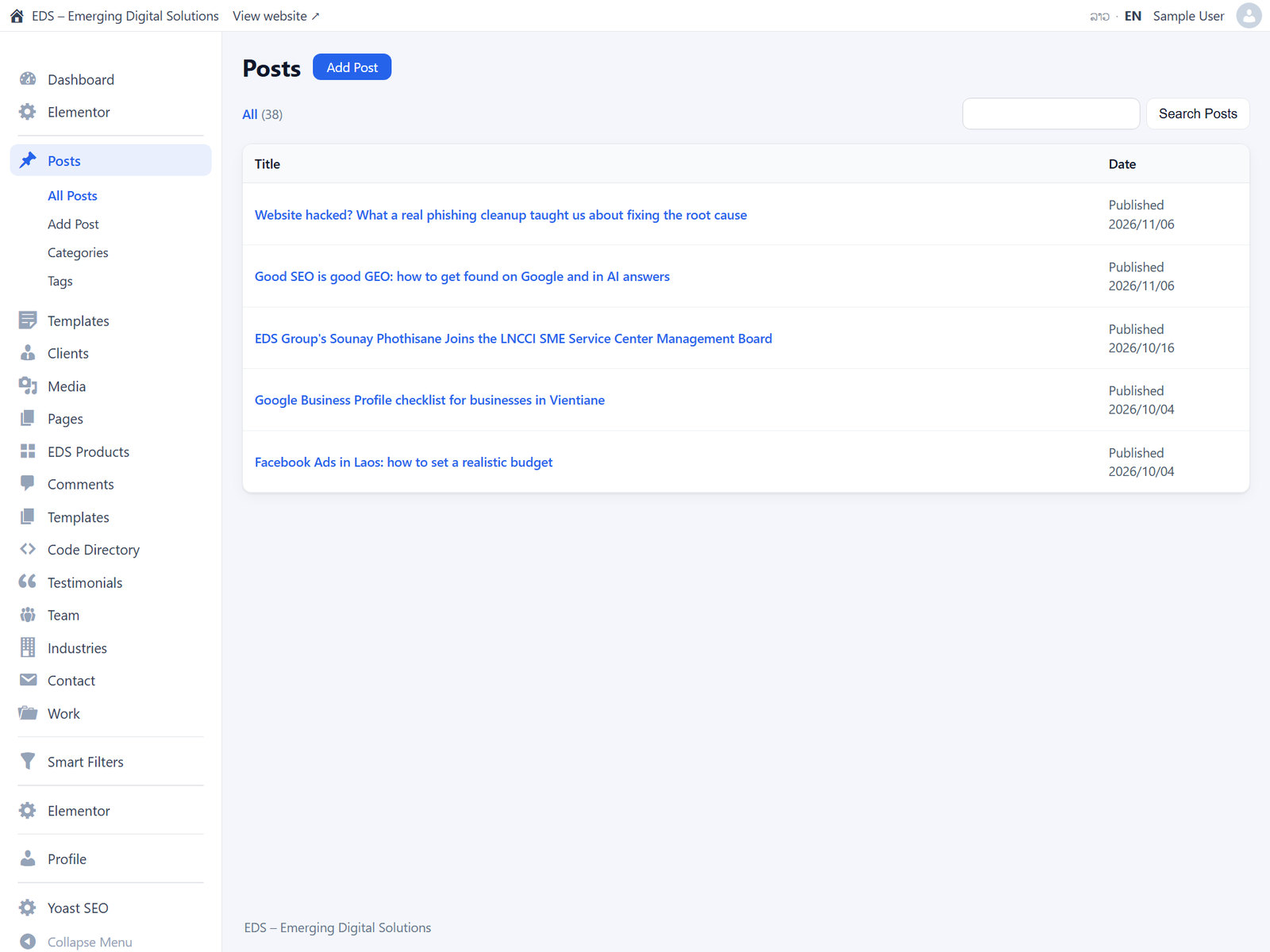
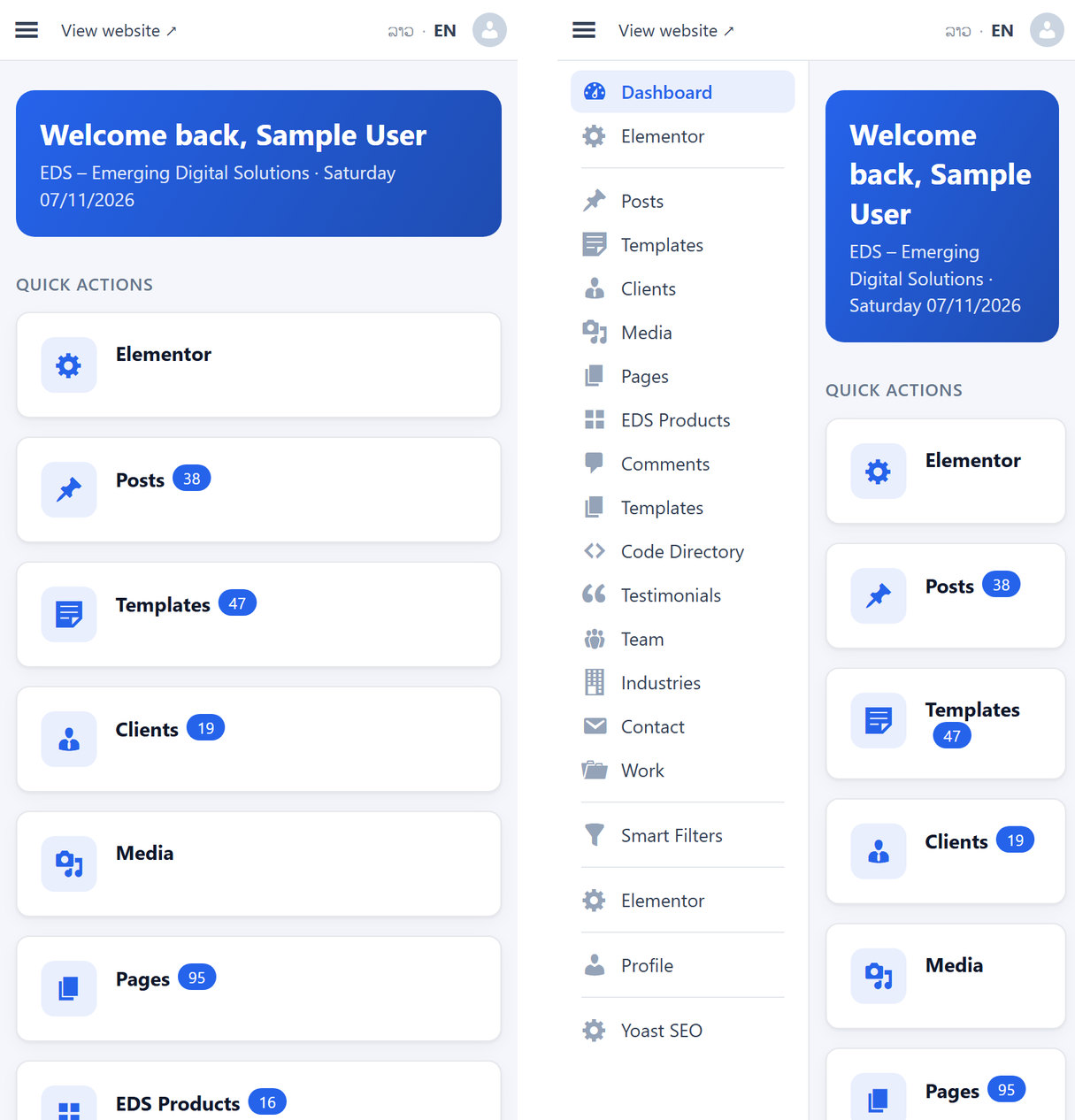
Each role opens on its own start page instead of the crowded WordPress dashboard. Choose a greeting, shortcuts and live counts per role.
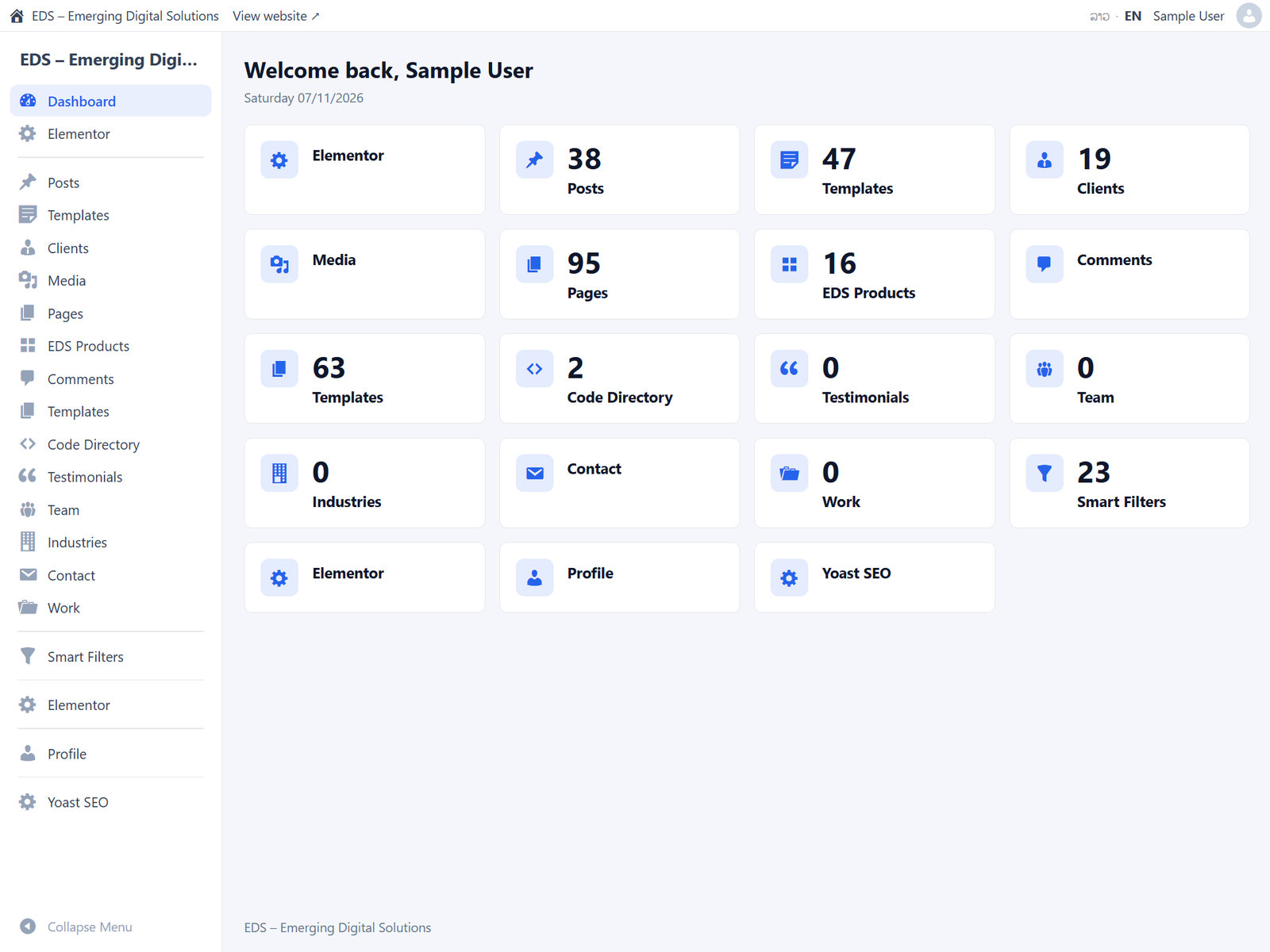
Each user type sees only their own menu
Show, hide, rename and reorder menus and submenus for Editors, Authors, Contributors, Subscribers and your own custom roles, with icons and count bubbles.
- Hidden pages are blocked when opened by a direct link.
- Hide a plugin's menu and its editor boxes can go too, including Yoast SEO.
- Copy settings from one role to another.

Match any brand
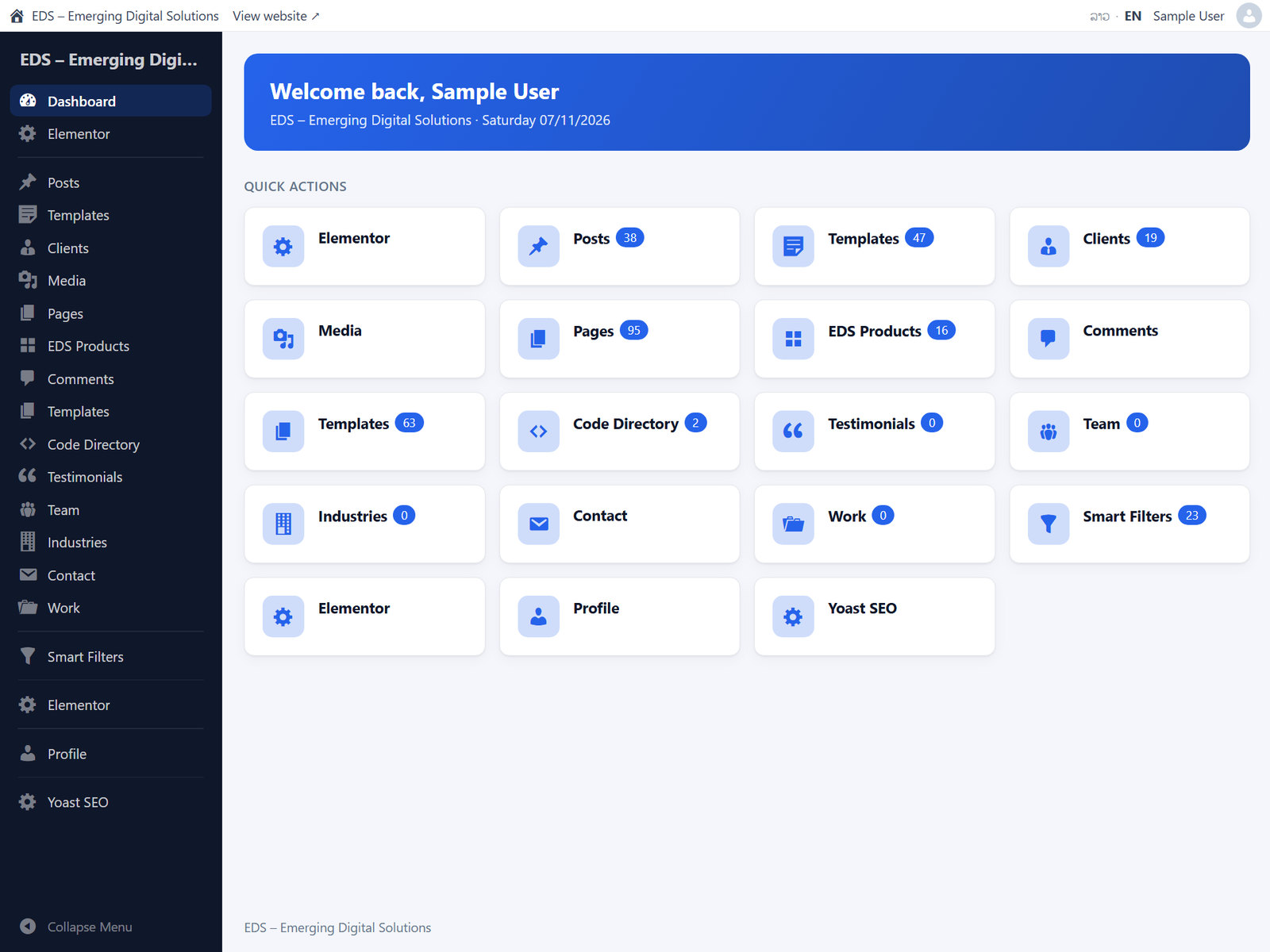
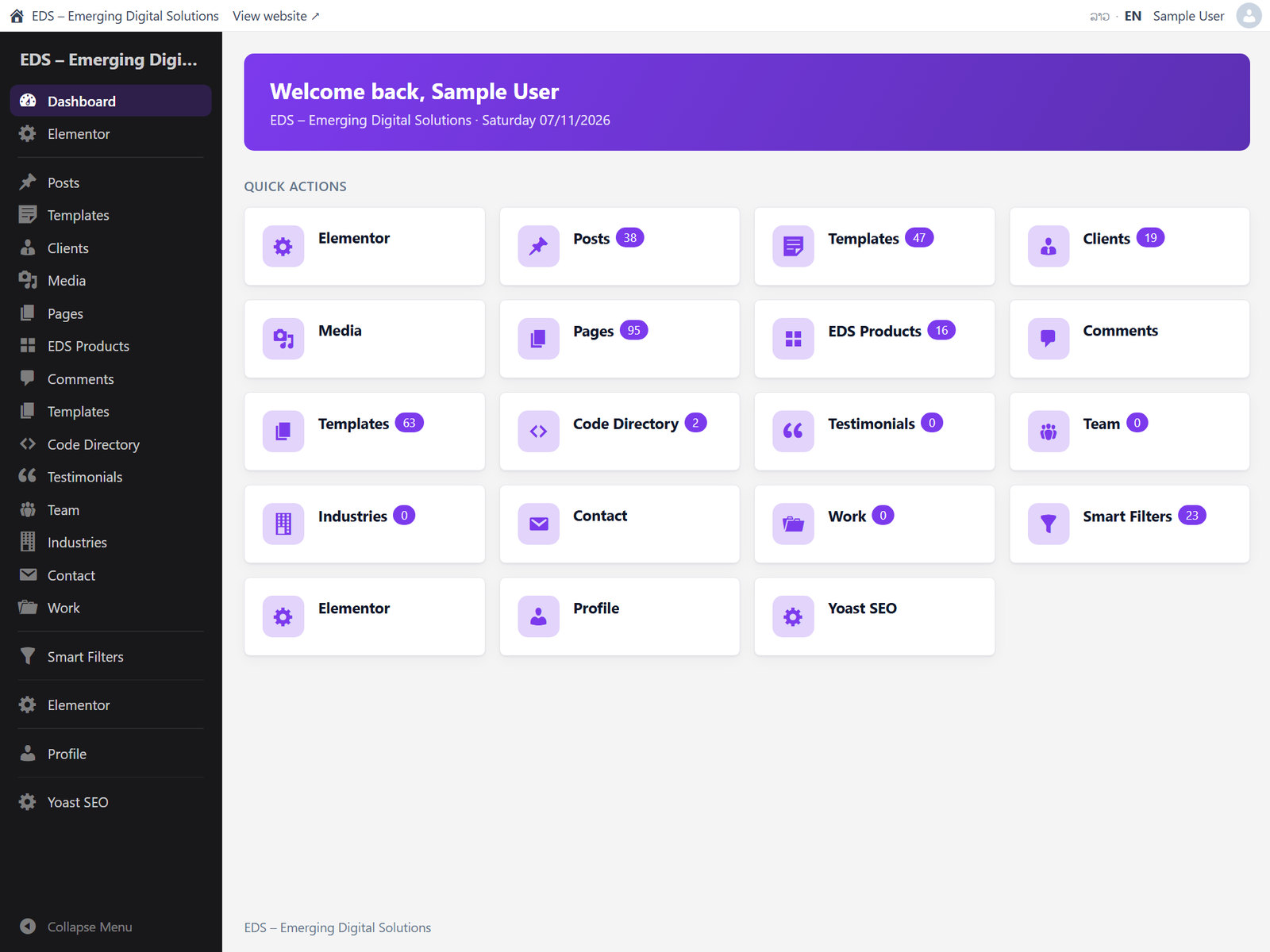
Set your logo, accent colour, sidebar, top bar and corner roundness, or start from a built-in preset. Settings move between sites as a JSON file.
A full Lao admin
Staff can switch between ລາວ and EN from the top bar. Install Lao language packs in one click, set a start language per role, name your content types in Lao and add your own text translations. The Phetsarath font is included.
See exactly what staff see
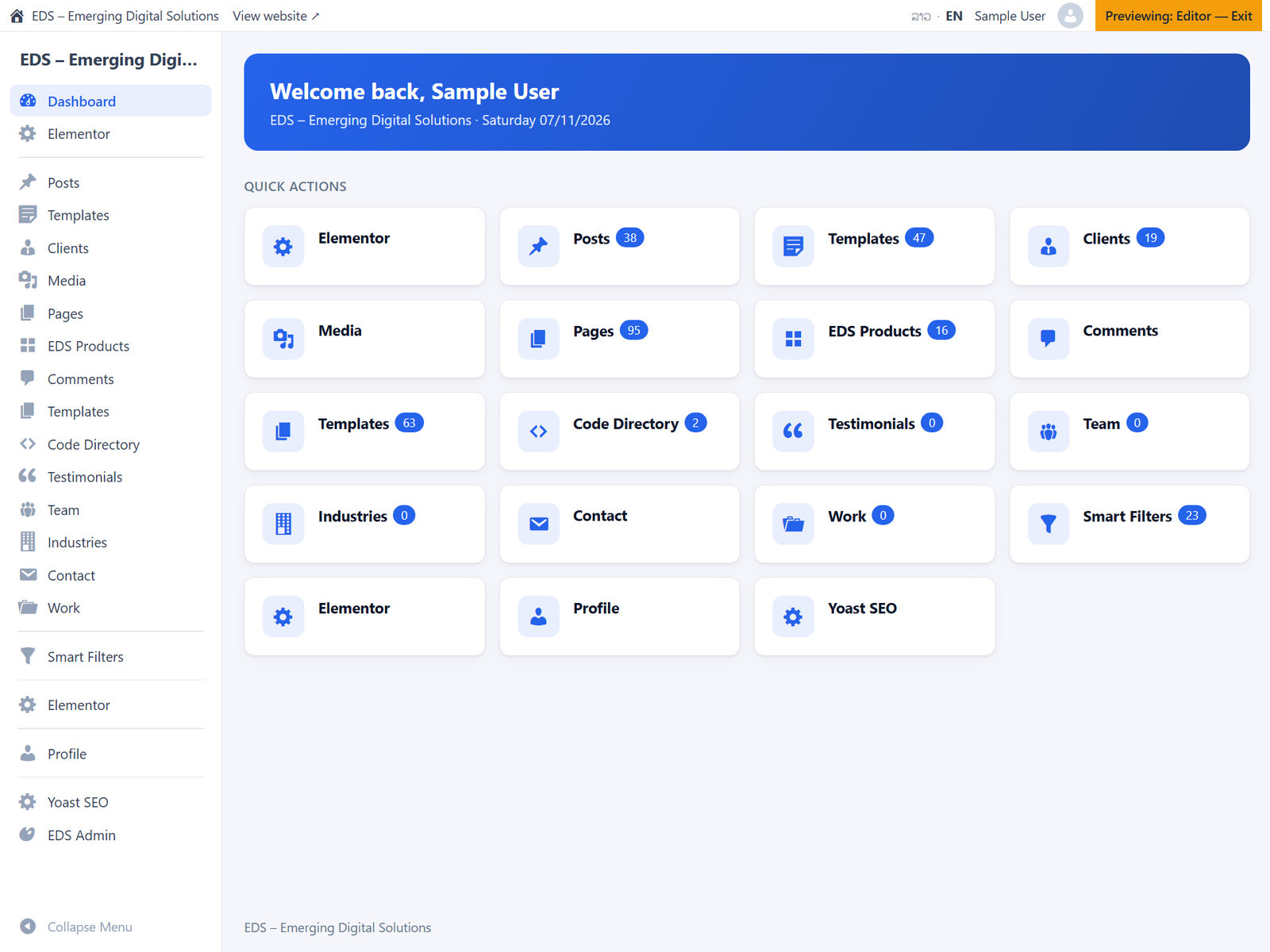
Administrators keep the normal WordPress admin. Preview any role before you go live, and exit with one click.
New: a login page you can design
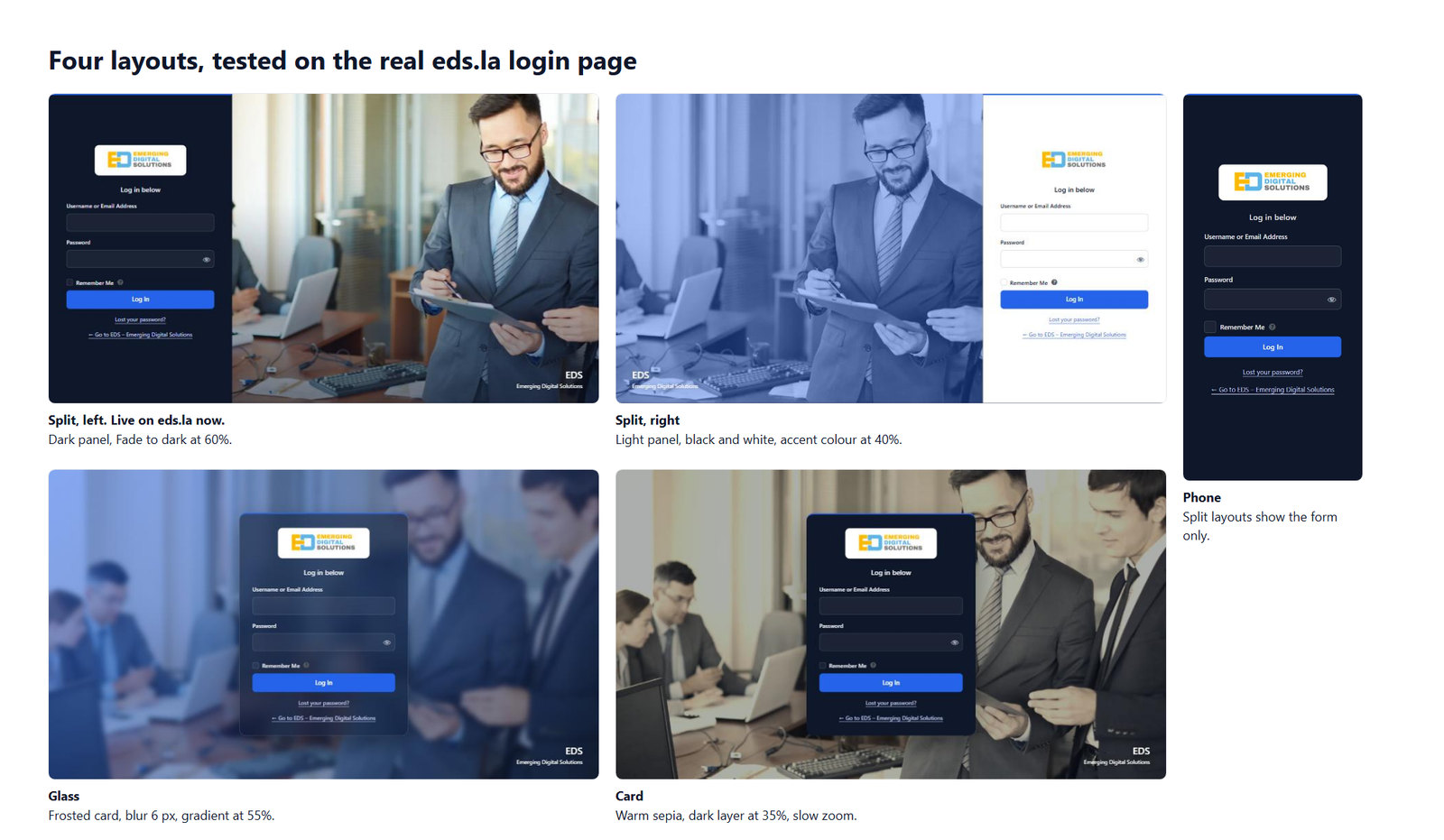
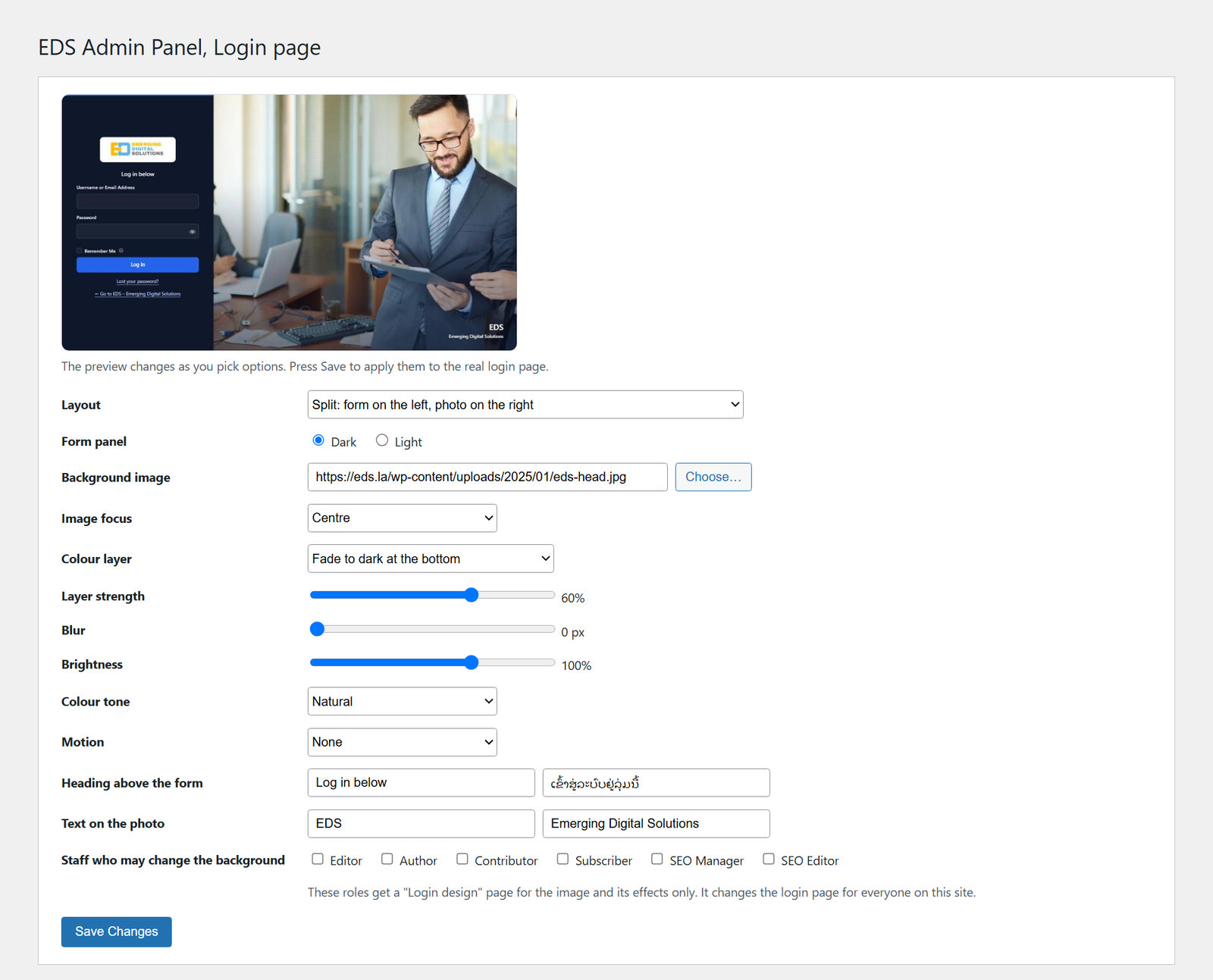
Choose split, card, glass or classic. Pick any background image, then adjust it with a live preview. You can also let chosen staff roles change the image and effects, without giving them any other settings.
- Colour layer: dark, accent, gradient or fade, with strength control.
- Blur, brightness and tone: black and white, sepia or vivid.
- Slow zoom or drift, which stays still for people who ask their device for reduced motion.
- Heading and text on the photo, in English and Lao.
New: spam protection for your forms
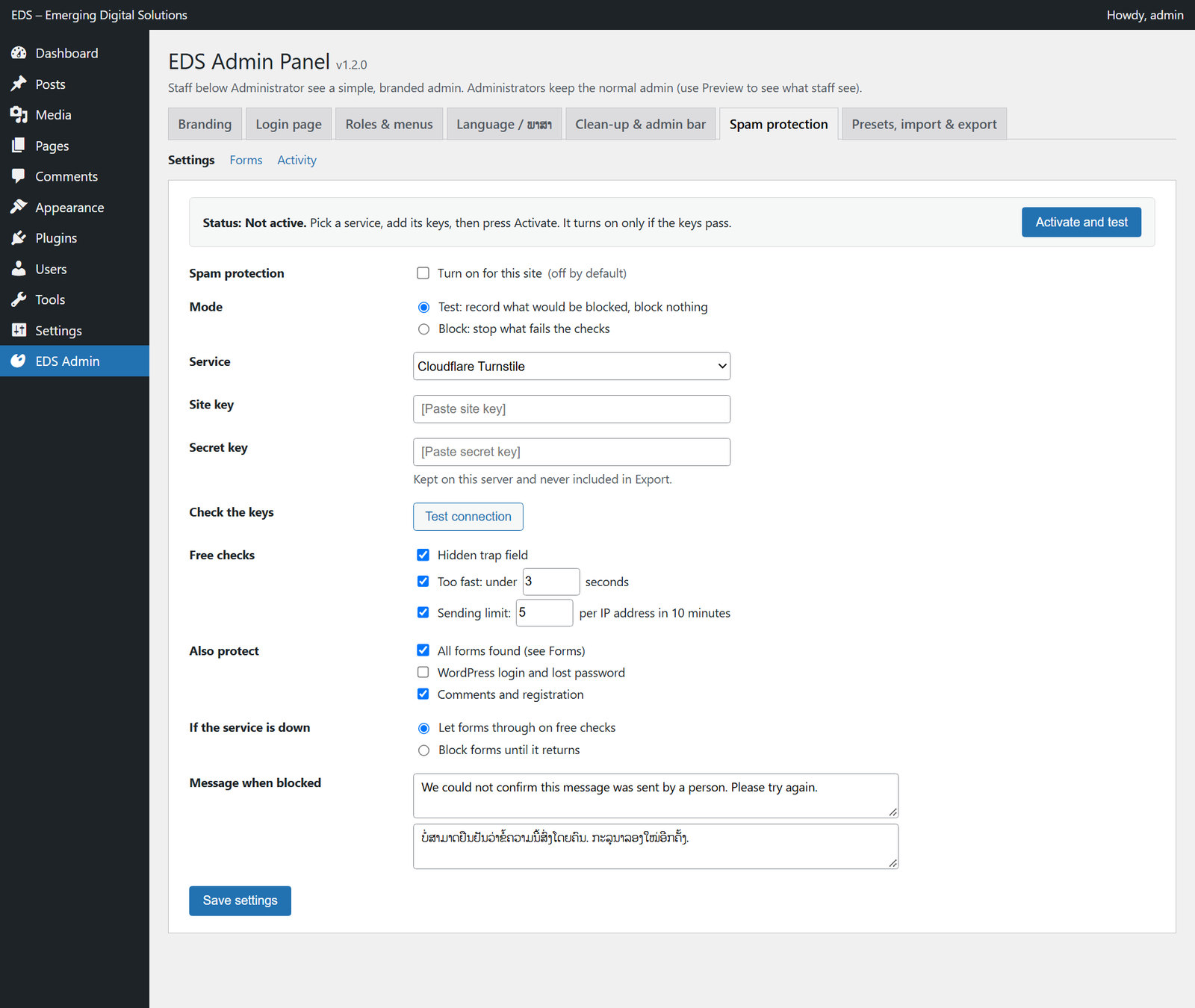
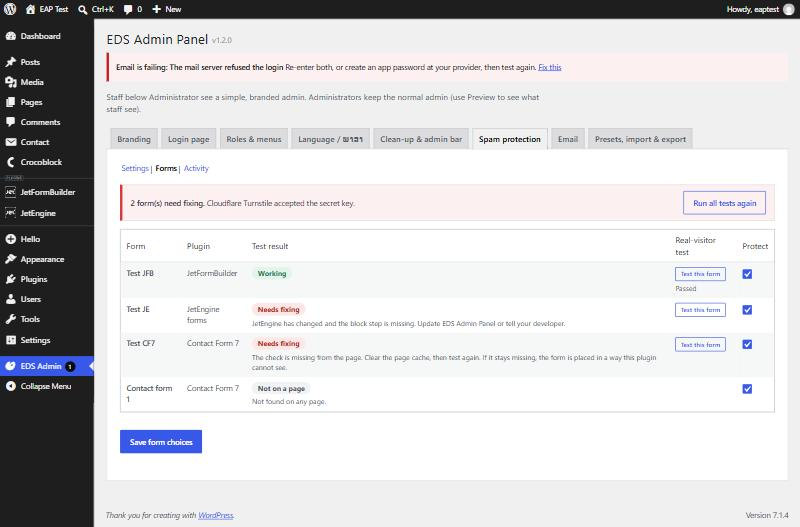
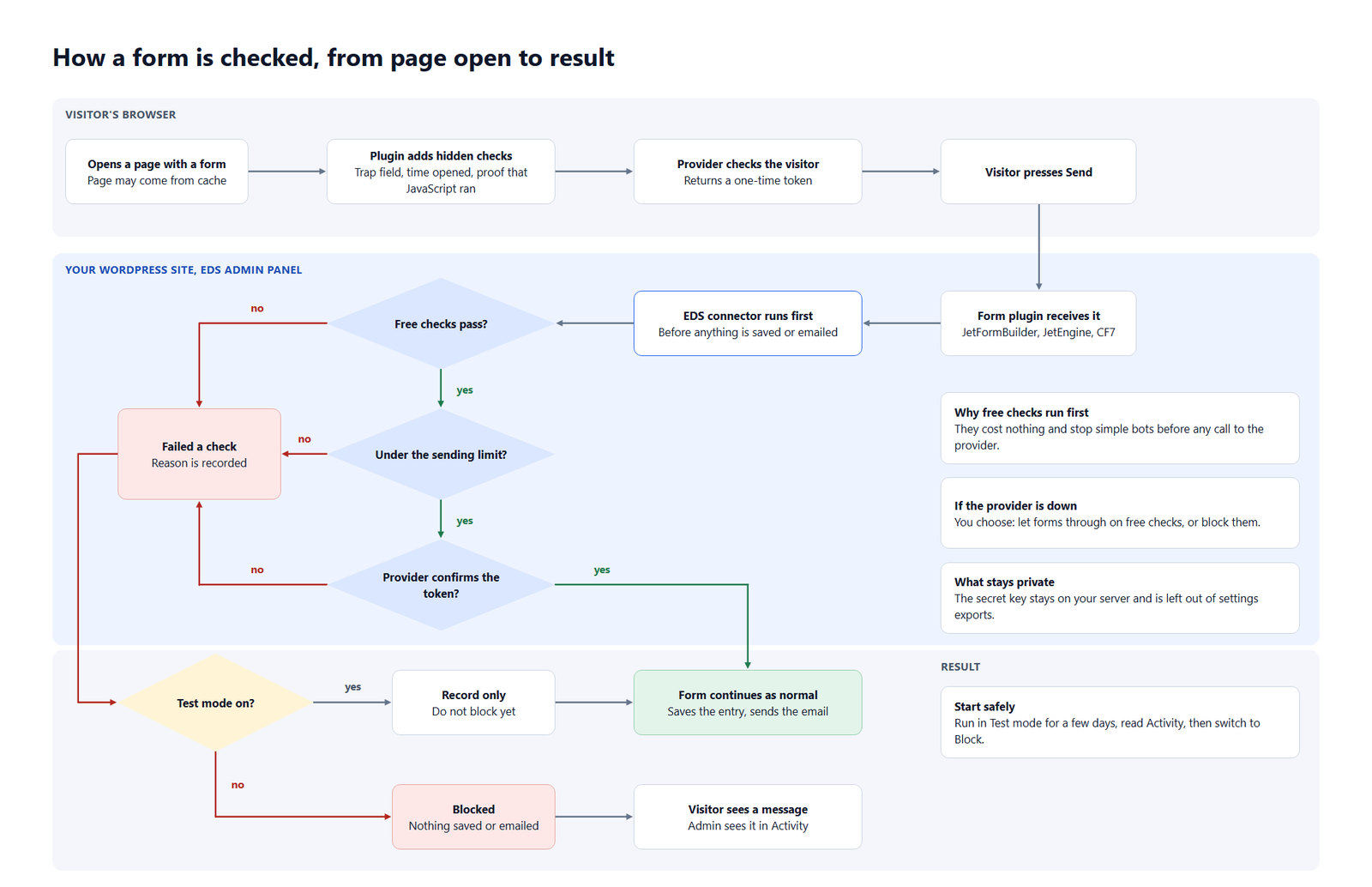
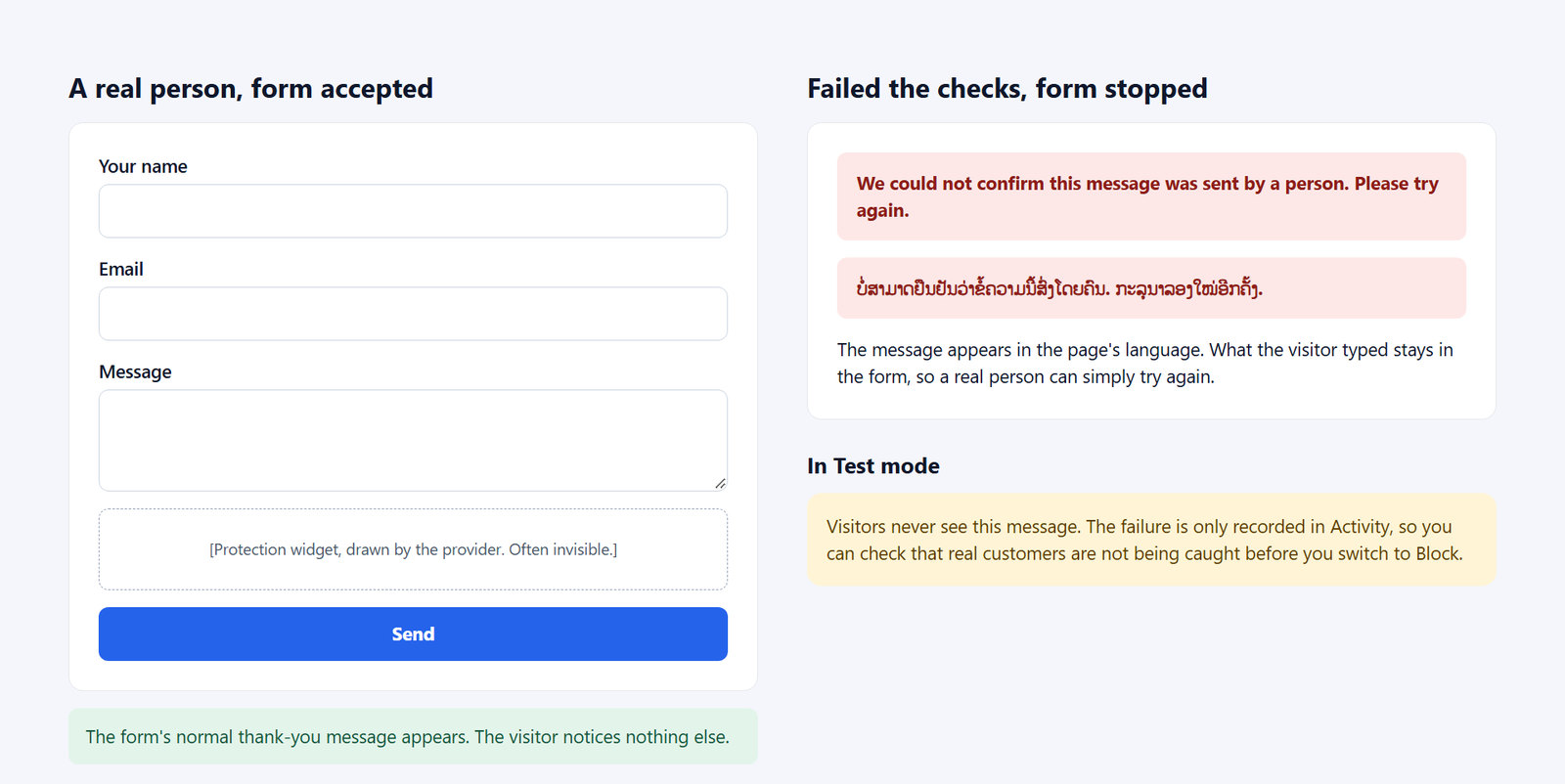
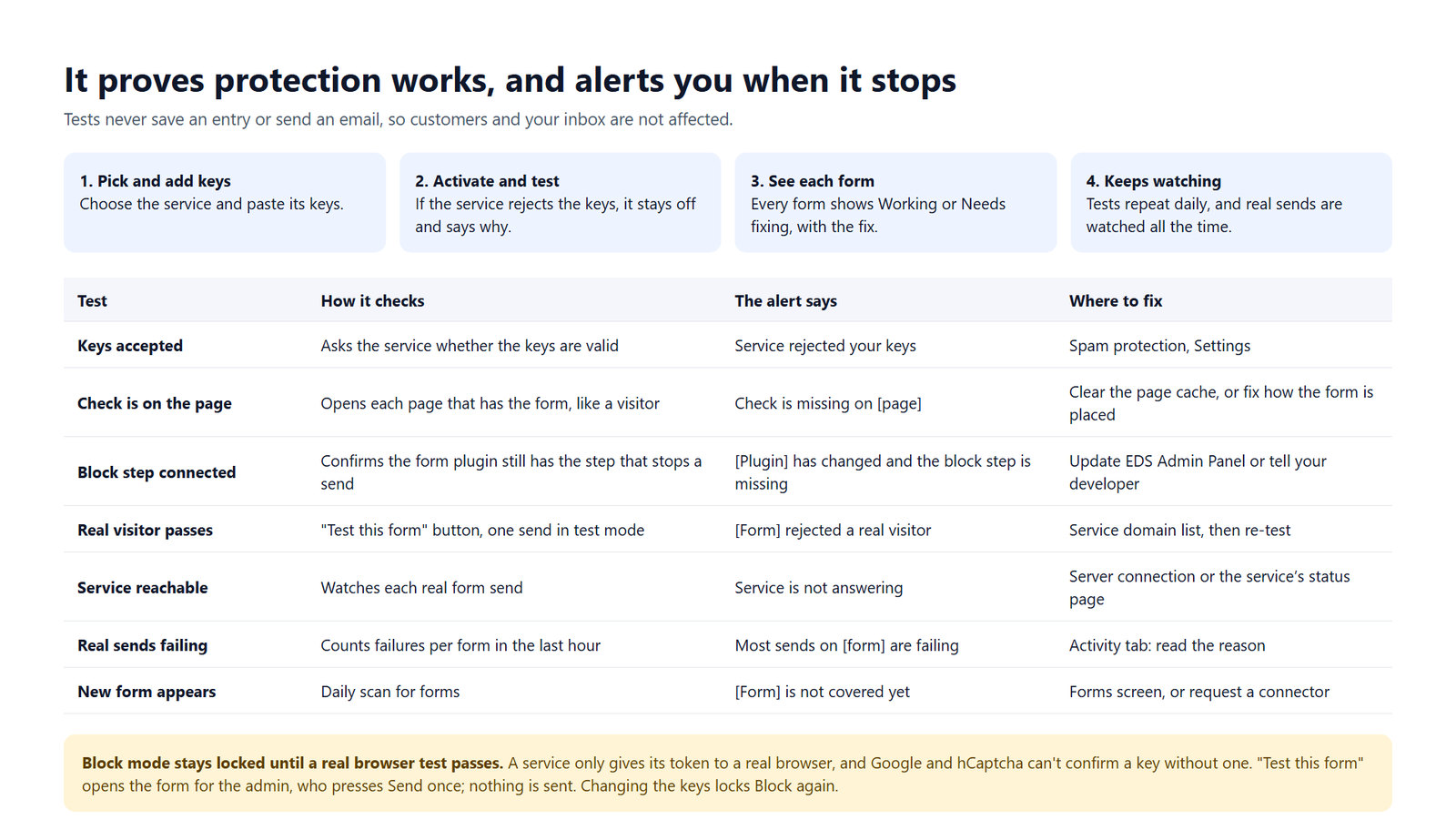
Stops bots before anything is saved or emailed. It works with JetFormBuilder, JetEngine forms, Contact Form 7, WordPress login, lost password, registration and comments. Choose one service and fill in its keys, or use the free checks alone.
- Services: Cloudflare Turnstile, Google reCAPTCHA v3 and v2, hCaptcha, Friendly Captcha, MTCaptcha, or the ALTCHA method on your own server with no account.
- Free checks: a hidden trap field, time and JavaScript checks, and a sending limit per IP address.
- Test mode records what would be blocked and blocks nothing.
- Block mode stays locked until one real visitor test passes with your keys, so a wrong key cannot turn away customers.
New: one email setting for the whole site
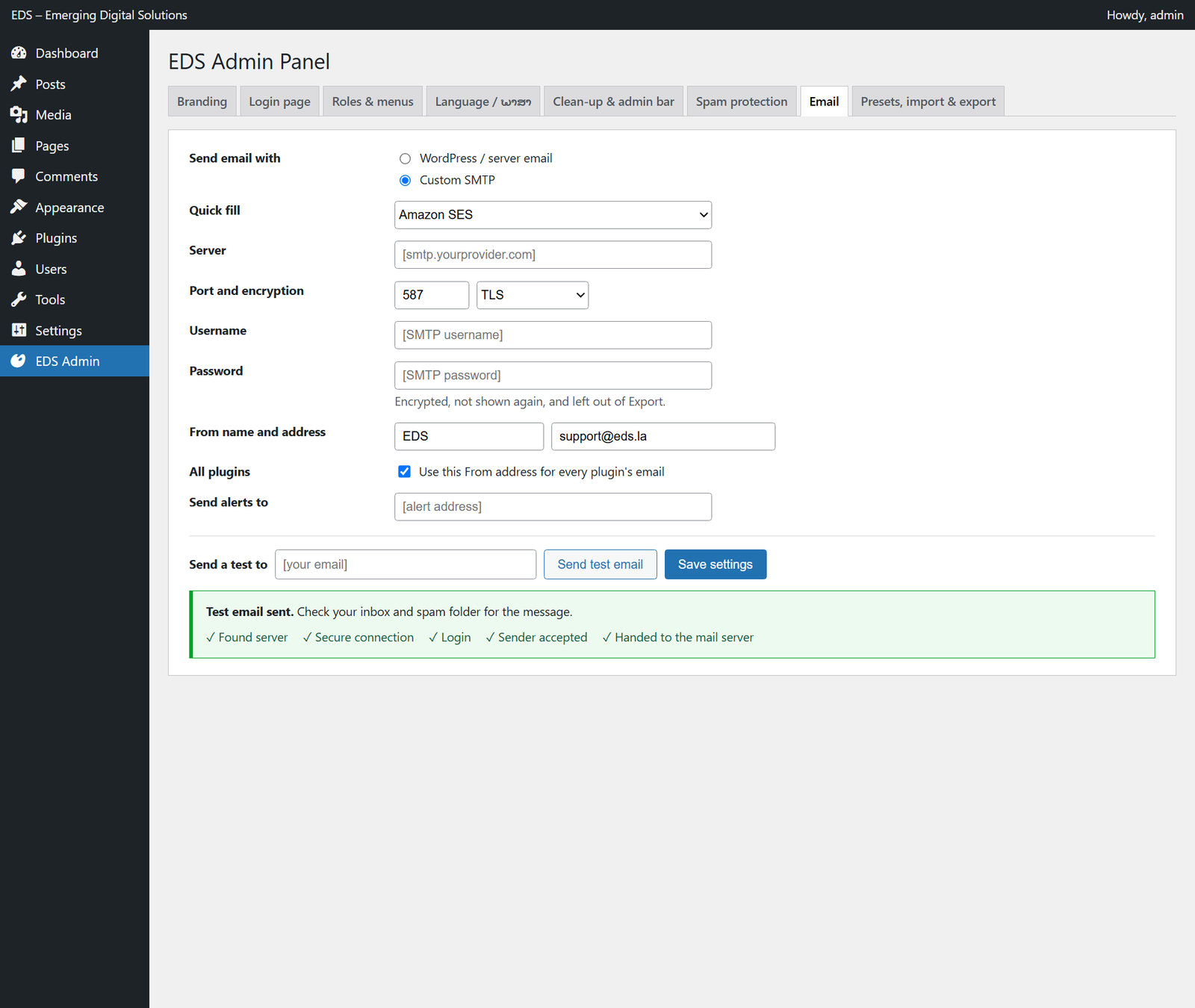
Choose WordPress / server email or Custom SMTP, with quick-fill for Amazon SES, Google, Microsoft 365 and Zoho. Forms, password resets, WooCommerce and other plugins that send through WordPress all follow the choice.
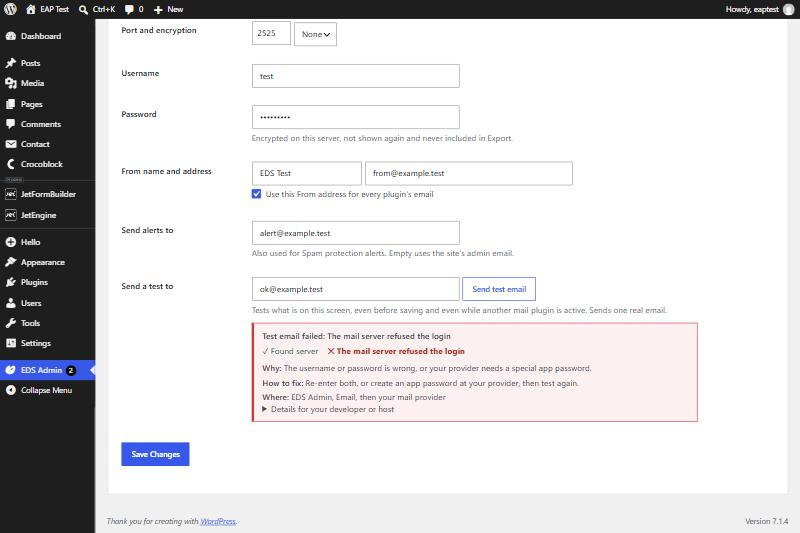
- Send a test before saving, and see each step pass or fail.
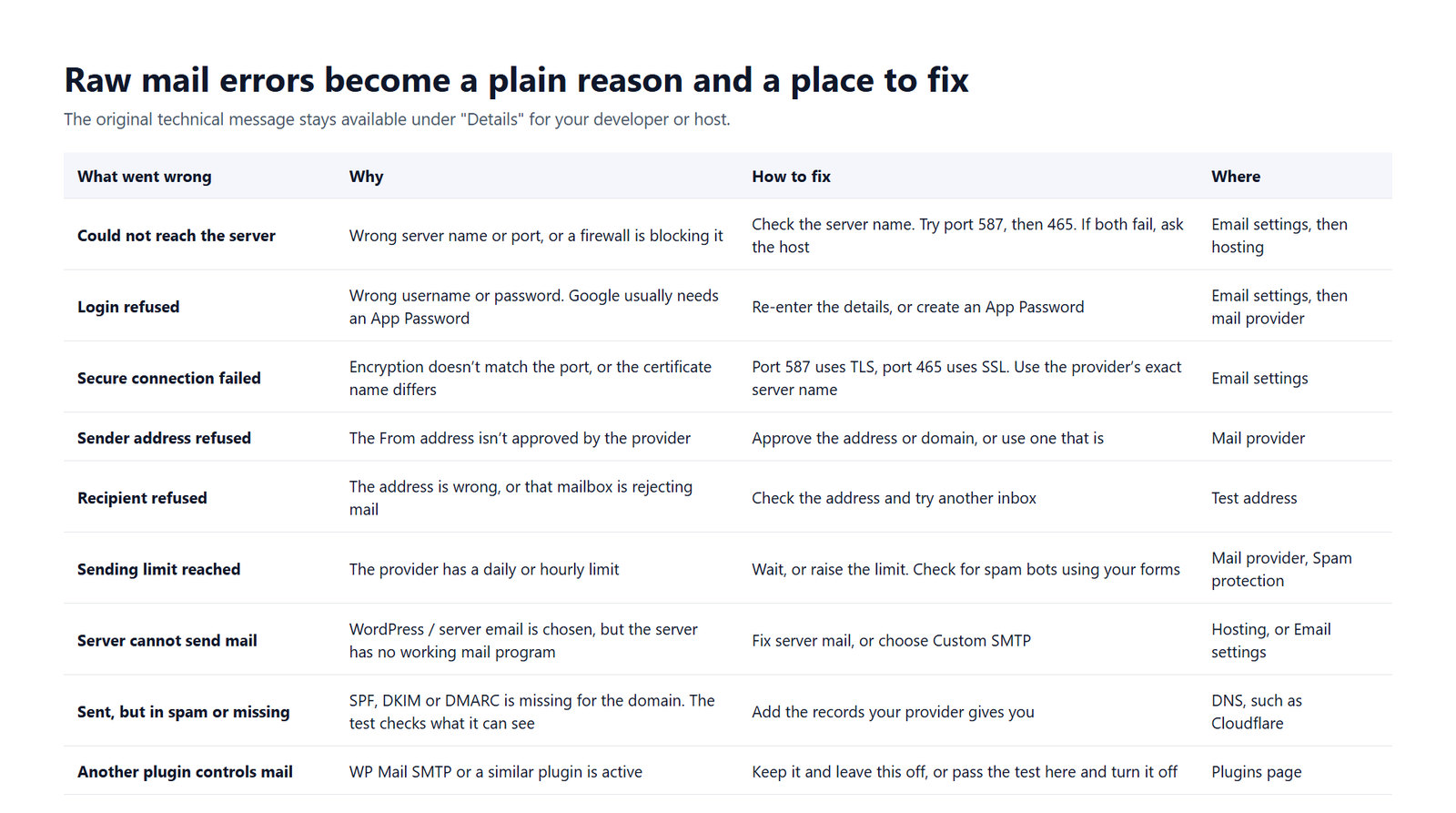
- Errors become a plain reason, a fix and where to make it.
- Passwords are encrypted and left out of exports.
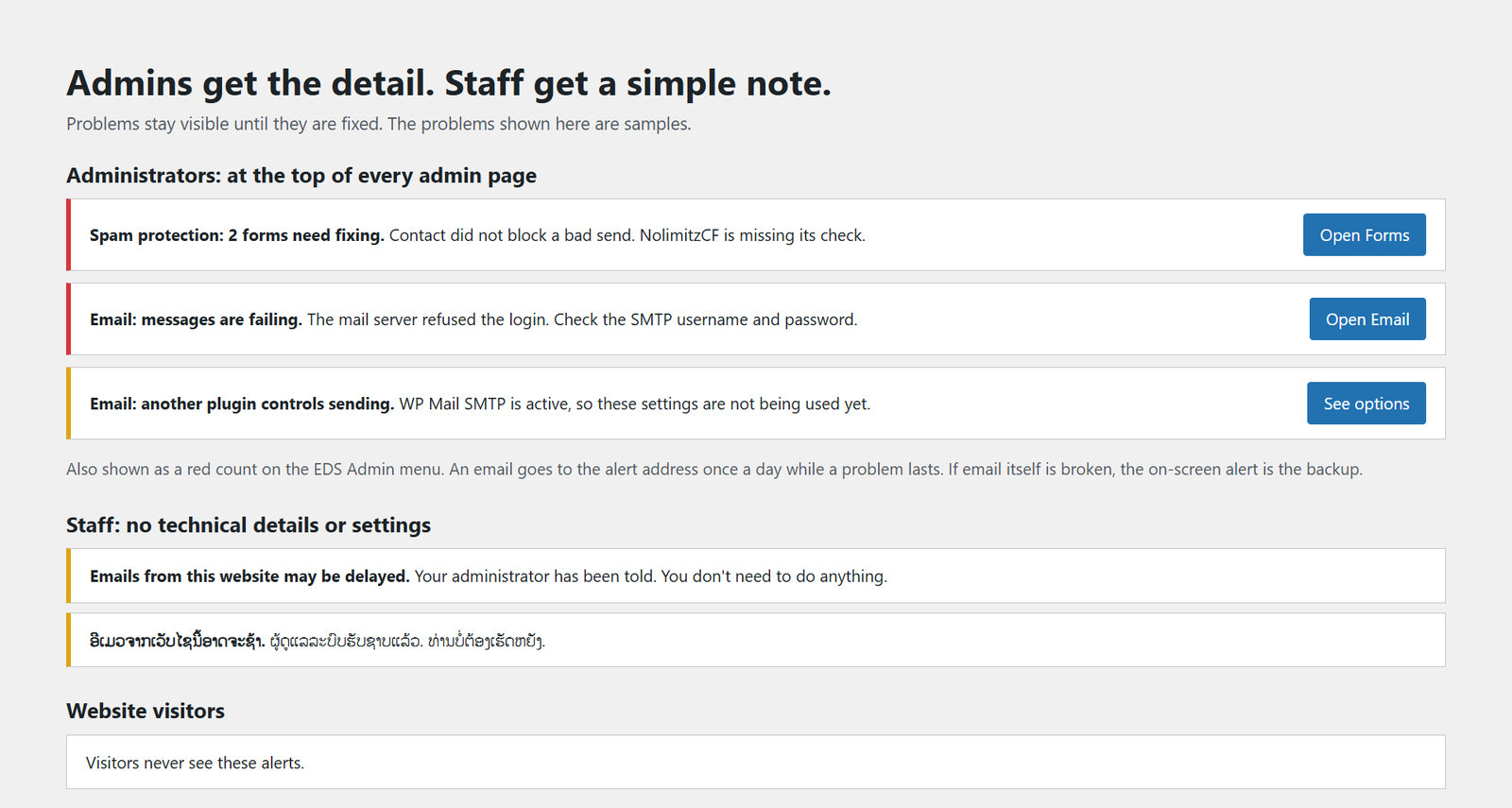
- While another mail plugin such as WP Mail SMTP is active, this feature warns and stays out of the way.
Some images are design previews of the plugin's screens, and your own menus and content will differ.
